How CodeGiver works
Hand out promo codes, vouchers or licenses one at a time, without mix-ups. Here is the whole idea in fifteen seconds.
- 1. Add your codes
- 2. Give the next one
- 3. See who got what
Three steps
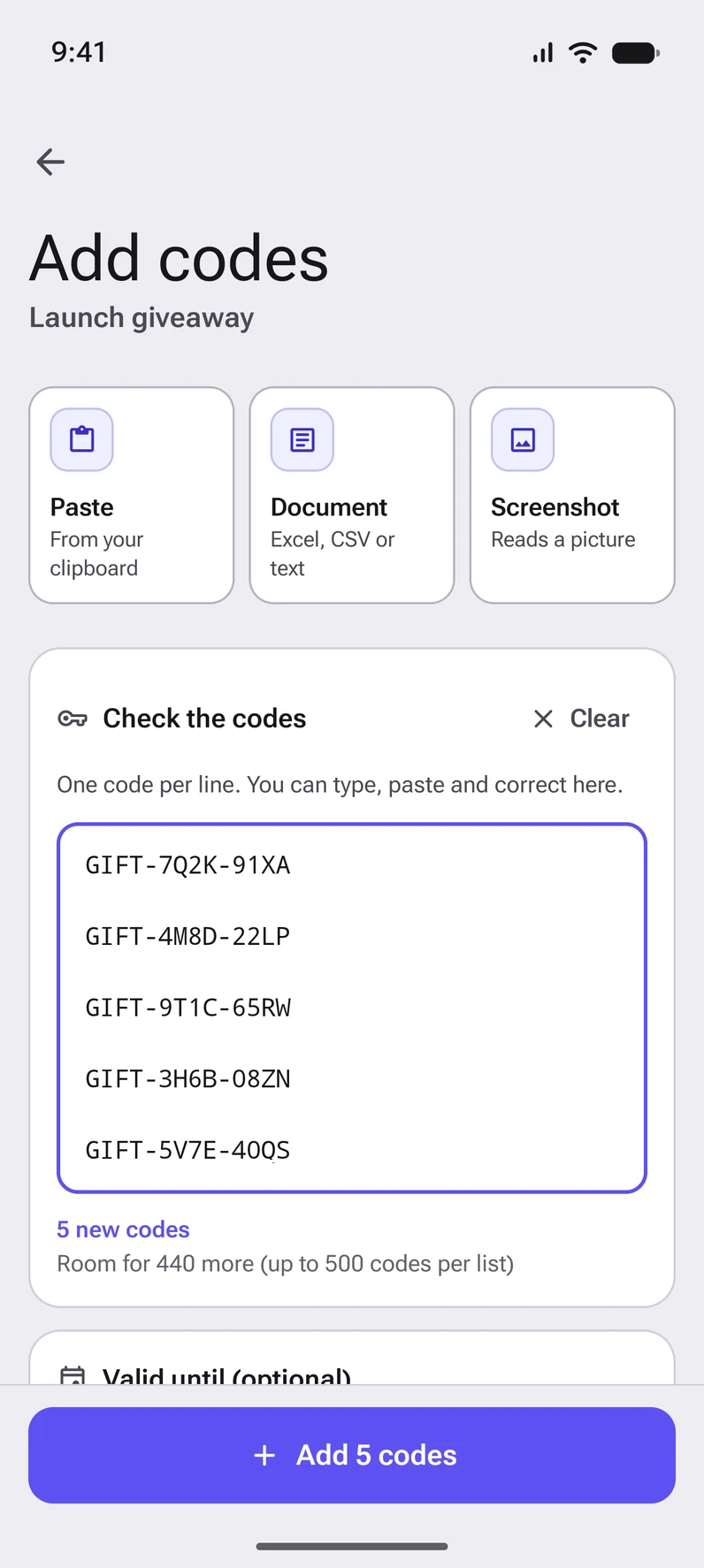
Add your codes
Paste them, pick a document or use a screenshot. Check them, choose an end date if they expire, and add them to a list.
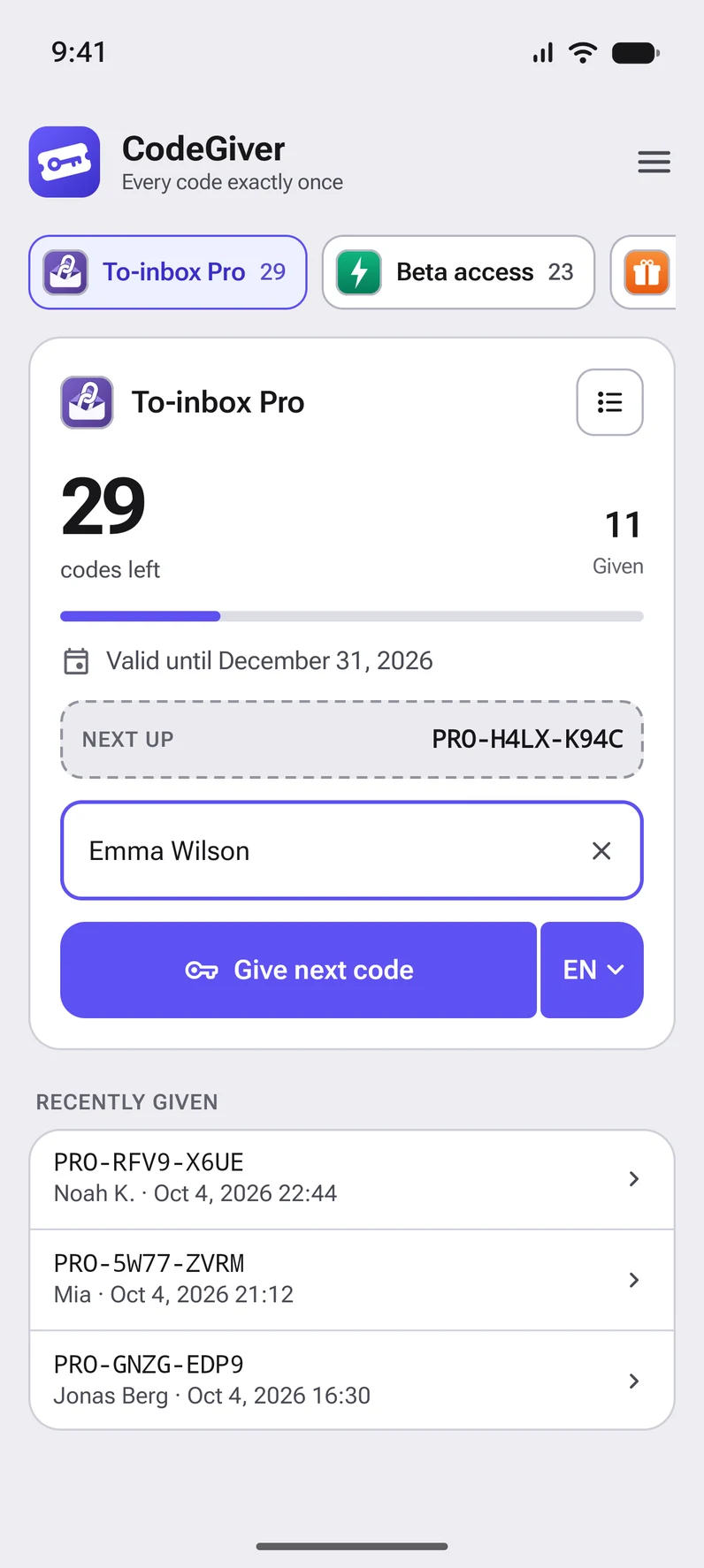
Give the next one
You see how many codes are left and which one is next. Type who it is for, if you like, and tap the button.
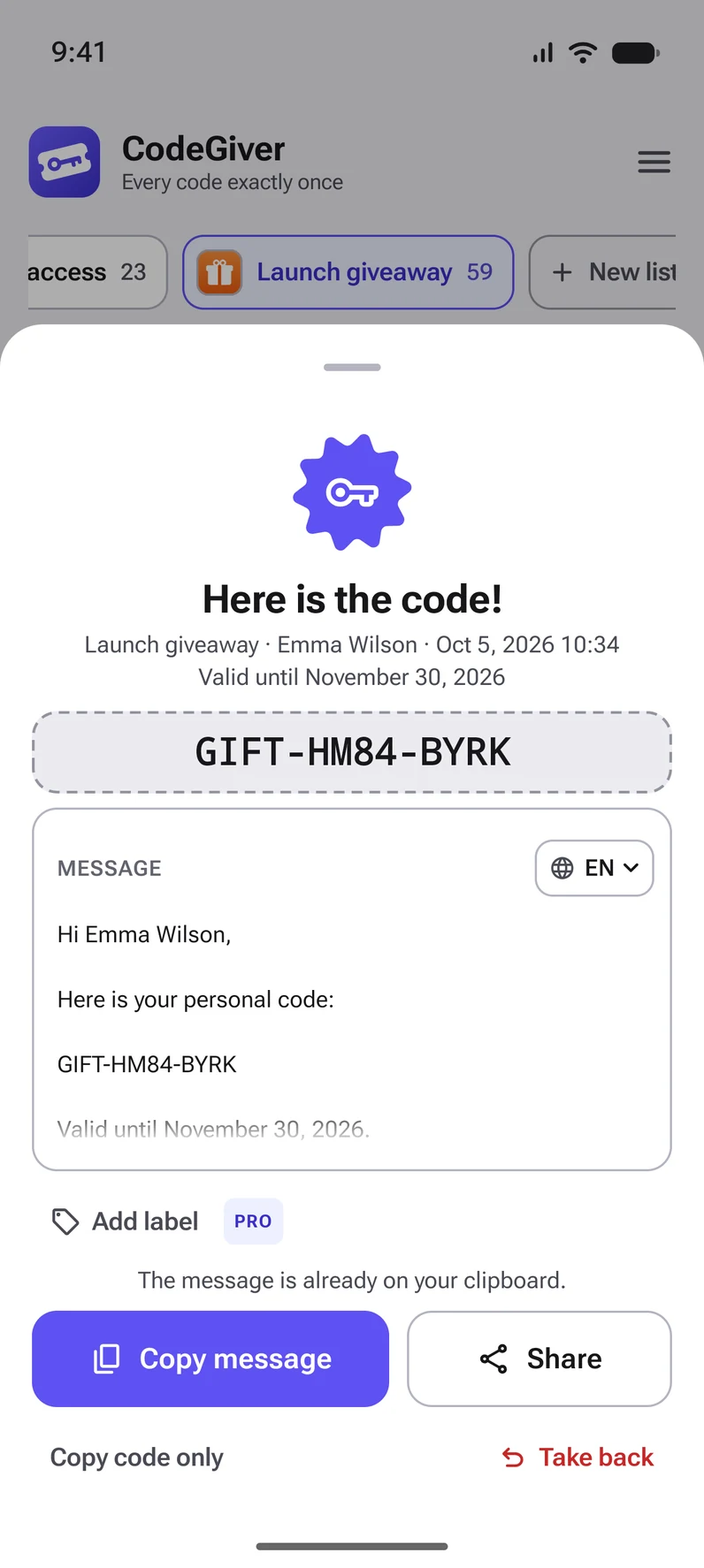
Share the message
The code appears inside your own message, already on the clipboard. Paste it into a chat, a mail or a direct message.
Good to know
Never twice
A code that has been given is marked at once. Tapped by mistake? Take it back and it returns to the queue.
Your message, your language
Write the message once and CodeGiver fills in the name, the code and the end date. Pick the language when you give the code.
Stays on your phone
No account and no ads. Your lists and codes are stored on your phone and only leave it when you share them or use the backup to your Google account.